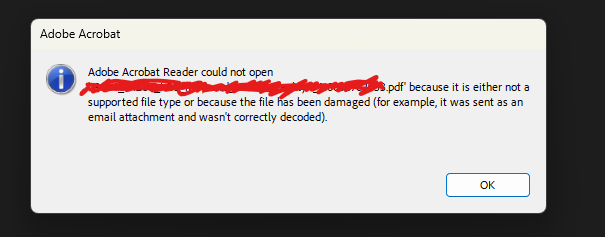
So you have a file that won't open. you immediatly think file corruption. buuuuut if the file size looks like there should be a decent amount of data there. if there had only been a few kilobytes then it would have been way to far gone. but If there is you it may just needed re-initialized as a PDF. in these rare cases The file wasn't actually corrupt corrupt; the system accidentally downloaded the raw text translation of the PDF instead of the actual document. so we have to translate that text back into a normal file. this is probably not a 100% reliable solution for fixing file corruption. but can help with some unrecognized file errors or PDFs that hate you.
Files on the internet often travel as plain text (Base64) so they don't get damaged in transit. Usually, your browser automatically unpacks that text back into a real file (like a .pdf or .jpg). this is what happens when that automatic unpacking fails
the commands I ran in PowerShell if your interested
# 1. Read the text file as one continuous string
$rawText = Get-Content "the complete file path goes here" -Raw
# 2. Forcefully scrub out ALL invalid characters (newlines, spaces, etc.)
$cleanBase64 = $rawText -replace '[^a-zA-Z0-9+/=]', ''
# 3. Convert the cleaned string into binary PDF data
$bytes = [System.Convert]::FromBase64String($cleanBase64)
# 4. Save the actual PDF file
[System.IO.File]::WriteAllBytes("complete path andthe name of the new file to be created here.pdf", $bytes)